
Six Root Causes, One Green Checkmark

Format: long-form postmortem (~2,400 words), ~14 min read Audience: anyone maintaining a GitHub Actions pipeline — especially for a Windows/.NET desktop app with an external dependency Stack: .NET 8 / WPF, GitHub Actions,
windows-latestrunners, Inno Setup Thesis: none of the eleven failures on this release were the same failure. Each one hid behind the previous fix, invisible until the run got far enough to reach it. The interesting part isn't any single bug — it's what changed once the approach shifted from guess a flag, retag, wait to reproduce locally, add a diagnostic probe inside the failing environment, verify before spending the round-trip.
The setup
The task looked routine: tag a release, let GitHub Actions build a self-contained Windows installer, publish it. The app — a WPF desktop tool with an on-device AI pipeline — already built cleanly on the local machine. Cutting a release should have been a five-minute formality.
It took eleven CI runs and a geography lesson.
Here's the actual gh run list history for this release tag, in order:
✕  Run 1  — gitignore bug (CS0246 in the project's own assembly)
✕  Run 2  — external sibling repo never checked out
✕  Run 3  — fine-grained PAT 404 on the private repo
✕  Run 4  — workflow file issue (0 seconds, no logs at all)
✕  Run 5  — actions/checkout rejects the sibling path
✕  Run 6  — PAT still 404 after the path fix
✕  Run 7  — classic PAT works; MSIX packaging produces nothing
✕  Run 8  — UapAppxPackageBuildMode flag added; still nothing
✕  Run 9  — switched to VS's own msbuild.exe; still nothing
✕  Run 10 — switched to Inno Setup; release step lacks permission
✓  Run 11 — green
This post walks through all six distinct root causes (some spanned multiple runs), structured the same way each time: Symptom → Investigation → Root Cause → Fix → When This Applies.
TL;DR
| # | Symptom | Root cause | Fix |
|---|---|---|---|
| 1 | CS0246: type not found — in its own assembly |
**/Models/* gitignore glob matched every folder named Models anywhere in the repo |
Scope the pattern to the exact path |
| 2 | CS0246: external namespace not found |
Sibling repo referenced by relative path, never checked out in CI | Checkout to a subfolder + Windows directory junction |
| 3 | 404 on a private repo, using a verified-correct PAT | Fine-grained PAT + Actions cross-repo checkout (root cause unresolved) | Classic PAT (repo scope) instead |
| 4 | 0-second workflow failure, zero logs | secrets context used inside a step's if: — schema-rejected |
Route the secret through env:, branch inside run: |
| 5 | dotnet publish succeeds, zero packaging output |
MSIX tooling never wired up for a plain WPF project outside VS's IDE orchestration | Abandoned MSIX, used the already-working Inno Setup script |
| 6 | "Resource not accessible by integration" | Default GITHUB_TOKEN is read-only |
permissions: contents: write at job level |
| Bonus | Wanted to add code signing | Azure Trusted Signing's Public Trust cert is unavailable to India entirely | Deferred; third-party CA is the fallback if revisited |
01 — The gitignore glob that ate 110 files
Applies when: any multi-project repo excludes a folder by name using **.
Symptom
The first CI build failed with dozens of errors like:
error CS0246: The type or namespace name 'UmlComponent' could not be found
error CS0246: The type or namespace name 'ErdEntity' could not be found
error CS0246: The type or namespace name 'DfdProcess' could not be found
Not a missing package. Not a missing reference. These types were supposed to be defined in the same assembly that was failing to compile.
Investigation
The build worked perfectly on the local machine — same code, same commit. That split is the tell: whatever was missing existed on disk but not in git. A quick git ls-files against the actual directory confirmed it — a Models/ folder full of .cs domain classes had zero tracked files. Widening the check across every sub-project in the repo found the same gap in eight of them: 110 real source files, present locally, absent from every clone anyone else had ever made.
Root cause
.gitignore had a line meant to exclude one specific folder — a 2.7 GB directory of AI model weights at the project root:
**/Models/*
!**/Models/.gitkeep
** in a gitignore pattern doesn't mean "the folder I'm thinking of." It means any folder with this exact name, anywhere in the tree. Eight sub-projects each happened to have their own Models/ directory of ordinary source code, and the rule swallowed every one of them the moment they were created — silently, since git add on an ignored path just does nothing, no warning, no error. It had been this way since before the affected folders existed. Nobody had done a truly clean checkout-and-build until this pipeline tried to.
Fix
ProjectSamle/Models/*
!ProjectSample/Models/.gitkeep
Full path instead of a global glob. Then git add the 110 newly-visible files and confirm with a clean Release build before trusting it.
When to use ** freely: you genuinely mean "everywhere" — build artifacts (**/bin/*), OS cruft (**/.DS_Store), things with no legitimate namesake elsewhere in the tree.
When to scope it exactly: the folder name is generic enough that other, unrelated projects in the same repo might reuse it — Models, dist, output, anything a scaffolding tool or template might generate repeatedly.
02 — The repo that pretended to be one repo
Applies when: a project references a sibling repository by relative path instead of a package or submodule.
Symptom
Same error shape as case one — CS0246: The type or namespace name 'A1Sdk' could not be found — but this time the missing thing genuinely wasn't part of this repository at all. The main project referenced a second, private repo:
<ProjectReference Include="..\..\..\A1Sdk\src\A1Sdk.Core\A1Sdk.Core.csproj" />
Investigation
That relative path only resolves if the second repo happens to be checked out three directories up — true by accident on the machine where this was developed, never true anywhere else, including a fresh CI runner that only ever checks out the one repository actions/checkout was pointed at.
Root cause
Not really a bug — an implicit assumption baked into a file path. Two repositories were being treated as one project without any of the mechanisms (git submodules, a package feed, a monorepo tool) that would make that assumption hold anywhere but one developer's machine.
Fix
The obvious first attempt: check the second repo out directly at the sibling path.
- uses: actions/checkout@v4
  with:
    repository: rndrack/A1Sdk
    path: ../../A1Sdk
Rejected:
Repository path 'D:\a\A1Sdk' is not under 'D:\a\ProjectSample\ProjectSample'
actions/checkout hard-refuses any path: that resolves outside the workspace — there's no way to make it produce a true sibling directory.
The working fix: check the second repo out to an ordinary subfolder inside the workspace, then fake the sibling path with a Windows directory junction — no admin rights required, unlike a symlink:
- uses: actions/checkout@v4
  with:
    repository: rndrack/A1Sdk
    path: _external/A1Sdk

- name: Link A1Sdk into the sibling path the csproj expects
  shell: pwsh
  run: |
    $siblingRoot = (Get-Item "${{ github.workspace }}\..\..").FullName
    $target = Join-Path $siblingRoot "A1Sdk"
    New-Item -ItemType Junction -Path $target `
      -Target "${{ github.workspace }}\_external\A1Sdk" | Out-Null
The junction trick fits as a stopgap when refactoring the path reference isn't an option right now and you need CI working today.
The real fix is publishing the dependency as a package (NuGet, npm, whatever fits) so the reference stops being a filesystem path at all. Do that when there's time.
03 — The token that worked everywhere except where it mattered
Applies when: a fine-grained PAT fails from Actions despite testing correctly from a local shell.
Symptom
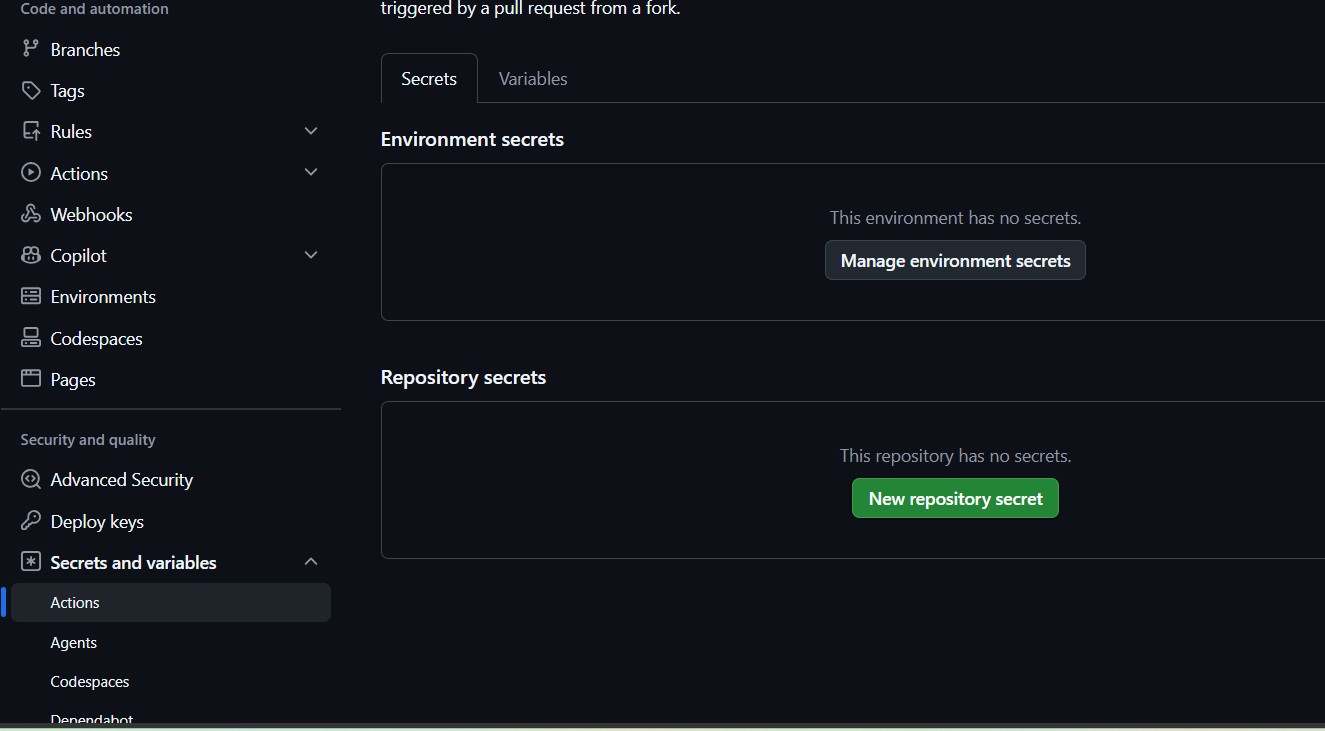
With the checkout step wired up, it needed credentials to reach a private repo. A fine-grained PAT, scoped to exactly that repo with Contents: Read-only, produced:
Not Found - https://docs.github.com/rest/repos/repos#get-a-repository
Regenerating the token changed nothing. A second regeneration, nothing. A third — still 404, even though curl run from a local terminal, against the exact same token, returned 200 every time.
Investigation
Local success and CI failure on the same credential means one of three things: the two environments send the request differently, the secret stored in CI doesn't actually match what was tested locally, or the token is malformed in a way that survives casual inspection. Rather than keep guessing, the workflow got a step that tests itself, from inside the runner, before the real checkout ever runs:
- name: Diagnose token from the runner
  env:
    TOKEN: ${{ secrets.AISDK_PAT }}
  shell: pwsh
  run: |
    Write-Host "Token length: $($env:TOKEN.Length) chars"
    Write-Host "Contains whitespace: $($env:TOKEN -match '\s')"
    $resp = Invoke-WebRequest -Uri "https://api.github.com/repos/rndrack/A1Sdk" `
      -Headers @{ Authorization = "Bearer $env:TOKEN" }
    Write-Host "Bearer auth: HTTP $($resp.StatusCode)"
That single step did more diagnostic work than three rounds of blind regeneration: 93 characters, correct github_pat_ prefix, no whitespace, and still 404 — via both Bearer and the Basic-auth format actions/checkout actually uses internally. A well-formed, verified-correct token, rejected specifically by the runner.
Root cause
Genuinely unresolved. This reads as a known-but-underdocumented edge case in how fine-grained PATs interact with cross-repository checkout from Actions specifically — not a scoping mistake, not a copy-paste error, not whitespace. The diagnostic step ruled out every explanation that would normally be the answer.
Fix
A classic PAT — full repo scope, the older and blunter permission model — worked on the first try. Same repository, same runner, same auth header format, immediate 200.
Reach for fine-grained as the default — narrower scope, per-repo selection, the model GitHub is steering everyone toward.
Fall back to classic the moment a fine-grained token fails in Actions for reasons a runner-side diagnostic can't explain. It's more battle-tested for exactly this flow, even though it's the coarser tool.
04 — The failure with no logs
Applies when: a workflow run shows as failed in under a second, before any step appears to execute.
Symptom
A new step was added to fail fast with a clear message when a required secret was missing:
- name: Check A1Sdk PAT configured
  if: ${{ secrets.A1SDK_PAT == '' }}
  run: |
    Write-Error "A1SDK_PAT secret is not set."
    exit 1
The next run showed failure in 0 seconds — no job list, no step list, nothing to inspect. Just: "This run likely failed because of a workflow file issue."
Investigation
A 0-second failure with no job breakdown means the workflow never started — GitHub rejected the YAML before scheduling anything. That rules out a runtime bug entirely; it has to be something GitHub's workflow schema validator objects to. Piping the file through a plain YAML parser confirmed the syntax itself was valid, which narrowed it to something GitHub-specific rather than a formatting mistake.
Root cause
GitHub Actions rejects the secrets context used directly inside an if: condition — a hard schema restriction, not a lint warning. It's valid YAML. It's invalid Actions. No parser catches it ahead of time; the only way to find it is to actually push and watch it fail this specific, unhelpful way.
Fix
Route the secret through env: and branch inside the script instead of the conditional — the same pattern an existing, working step in the same file already used for a different secret:
- name: Check A1Sdk PAT configured
  env:
    HAS_A1SDK_PAT: ${{ secrets.A1SDK_PAT }}
  shell: pwsh
  run: |
    if ([string]::IsNullOrEmpty($env:HAS_A1SDK_PAT)) {
      Write-Error "A1SDK_PAT secret is not set."
      exit 1
    }
Gate on a secret's presence by reading it through env: and checking the environment variable inside run: — always safe.
Never reference secrets directly inside if:, at job or step level — even though nothing in the editor or a YAML linter will warn you before you push.
05 — The packaging step that packaged nothing
Applies when: retrofitting MSIX packaging onto a project that didn't start from a Windows App SDK template.
Symptom
With the checkout and permissions problems behind it, the pipeline finally reached the actual build. dotnet publish with the standard MSIX flags completed cleanly — zero errors, DLLs copied, publish folder populated. The very next step, which searches for the resulting .msix, found nothing:
dotnet publish ProjectSample.csproj -c Release -r win-x64 --self-contained true `
  -p:GenerateAppxPackageOnBuild=true `
  -p:AppxPackageDir=...

# ...build succeeds, publishes normally...
# ...zero mention of Appx, MakeAppx, or packaging anywhere in the log
Investigation
No error is a worse signal than an error — there's nothing to search for. The first theory: GitHub's runner has the MSIX Packaging Tools installed as part of Visual Studio's own MSBuild, and dotnet publish uses the .NET SDK's separate, bundled MSBuild, which can't see VS-installed component targets. Plausible, specific, and testable — so it was tested: locate Visual Studio's real msbuild.exe via vswhere and invoke that instead.
Same result. Zero packaging output, zero errors, from the actual Visual Studio toolchain.
That result is what should have happened first, before the VS-MSBuild theory was ever tested in CI: the identical command, run locally on a machine with full Visual Studio installed, produced exactly nothing there too. Eight CI round-trips — each a multi-minute wait plus the delay of writing and pushing a plausible-sounding fix — could have collapsed into one thirty-second local test.
Root cause
WindowsPackageType=MSIX and EnableMsixTooling=true as bare csproj properties are documented primarily for WinUI3 / Windows App SDK's single-project-MSIX templates. On a plain WPF project that never went through that template, the properties exist but the actual packaging target imports were never wired in — no combination of command-line flags reactivates something that was never connected in the first place. Visual Studio's IDE "Create App Packages" wizard does extra orchestration beyond raw MSBuild property evaluation; a bare CLI invocation was never going to replicate it, locally or in CI.
Fix
Stopped fixing MSIX. The project already had a working Inno Setup script, hand-verified locally before ever touching CI again:
choco install innosetup --no-progress -y
& "C:\Program Files (x86)\Inno Setup 6\ISCC.exe" `
  "Installer\ProjectSample.iss" "/DMyAppVersion=1.7.0"
# Successful compile (110s). ~99 MB installer, exit code 0.
MSIX makes sense for a WinUI3 / Windows App SDK project built from the official templates, or when someone is willing to go through Visual Studio's IDE packaging wizard by hand for a Store submission.
Skip it for a plain WPF/WinForms app being wired into command-line CI — the properties look supported, the docs read as if they'll just work, and neither is true without the template underneath.
06 — The permission nobody grants by default anymore
Applies when: a workflow needs to create a release, push a commit, or otherwise write back to the repo.
Symptom
Build, installer, everything green — except the very last step:
Resource not accessible by integration
- https://docs.github.com/rest/releases/releases#create-a-release
Root cause
The default GITHUB_TOKEN GitHub injects into every run is read-only unless a workflow explicitly asks for more. Creating a release needs write access to repo contents — a permission that used to default to granted and increasingly doesn't, as GitHub tightens the out-of-the-box posture.
Fix
jobs:
  build-sign-release:
    runs-on: windows-latest
    permissions:
      contents: write
One line, and the entire rest of the pipeline — six root causes deep — finally produced a real, downloadable release.
Bonus — The constraint that wasn't a bug at all
Applies when: adopting any cloud service with geographic, business-type, or identity-verification eligibility gates.
Symptom
With the release pipeline finally green, the next item was removing the unsigned-installer SmartScreen warning via Azure Trusted Signing — well documented, cheap, ten minutes of setup by every guide.
Root cause
Public Trust certificates — the only certificate type that actually suppresses the SmartScreen warning for the general public — are restricted to organizations in the US, Canada, EU, and UK, and individual developers in the US and Canada. A business registered anywhere else is not eligible, full stop, regardless of how the setup guide reads. There's a Private Trust option with no geographic limit, but it only suppresses the warning on machines an organization has explicitly configured to trust it — useless for a public download link.
Fix
Deferred. No code changed, because the pipeline's signing step was already written to skip gracefully when signing secrets are absent — the release simply ships unsigned, with an explicit note in the release body about the SmartScreen click-through, until a signing path that's actually available gets set up.
Check eligibility for geography, business type, and identity verification requirements before writing a line of integration code — a search that takes two minutes.
Don't discover it after registering a company, standing up billing, or getting partway through an implementation. This one was caught before any resource existed; it easily could not have been.
What actually generalizes
Six unrelated bugs, one debugging shape. The specifics won't recur — this exact gitignore line, this exact PAT quirk — but the method that eventually worked will, on a different pipeline, a different stack, the same week.
1. Reproduce locally before iterating in CI. A CI round-trip costs a minute or two of wall-clock time and a full context-switch. A local reproduction costs seconds and tells you immediately whether you're chasing an environment difference or a fundamental one. Case 5 burned eight remote iterations on a theory a thirty-second local test would have killed on the first try.
2. Add a diagnostic step inside the failing environment. Guessing at credential problems from outside is slow and inconclusive. A step that prints token length, checks for whitespace, and hits the real API from the real runner turned three rounds of blind regeneration in case 3 into one conclusive answer.
3. Valid YAML is not a valid workflow.
GitHub Actions has schema restrictions — like secrets inside if: — that no local linter will catch. The only real test is triggering the workflow and reading what actually happens, not just what parses.
4. Declare permissions explicitly, never rely on the default.
GITHUB_TOKEN's default scope isn't stable across repos, orgs, or GitHub's own policy changes over time. Any workflow that writes back to the repo should say so in the file, not inherit it silently.
5. Check external eligibility before spending engineering time. Geography, business type, and identity-verification gates don't show up in code — they show up in a support FAQ nobody reads until something breaks. A two-minute search before implementation is cheaper than finding out after.
Stack: .NET 8 · WPF · GitHub Actions · Inno Setup — 11 runs, 6 root causes, 1 release.